
ESP32 INA226 Power Monitor – Measure Voltage, Current and Power
Turn your ESP32 and INA226 sensor into a digital power monitoring system! The SensorLab INA226 Power Monitor measures voltage, current, and electrical power in real time via USB. Explore live measurements using graphical instruments and interactive charts, investigate Ohm’s law, and record voltage-current pairs to determine electrical resistance. Export your measurement data as CSV files for further analysis in Excel, Numbers, or other spreadsheet applications.
Ideal for hands-on physics experiments in electricity and electronics.
Browser Compatibility
To use the SensorLab Weather Station with an ESP32 via USB, please use Google Chrome or Microsoft Edge. SensorLab uses the Web Serial API for direct communication with the ESP32, which is not supported by all web browsers.
Your Power Dashboard
| # | Voltage V | Current A | Current mA |
|---|
ESP32 Firmware – Arduino IDE for INA226
The following Arduino code configures the ESP32 to communicate with the INA226 sensor and transmit voltage, current, and power measurements to the SensorLab dashboard via USB.
Important: Check the shunt resistor value!
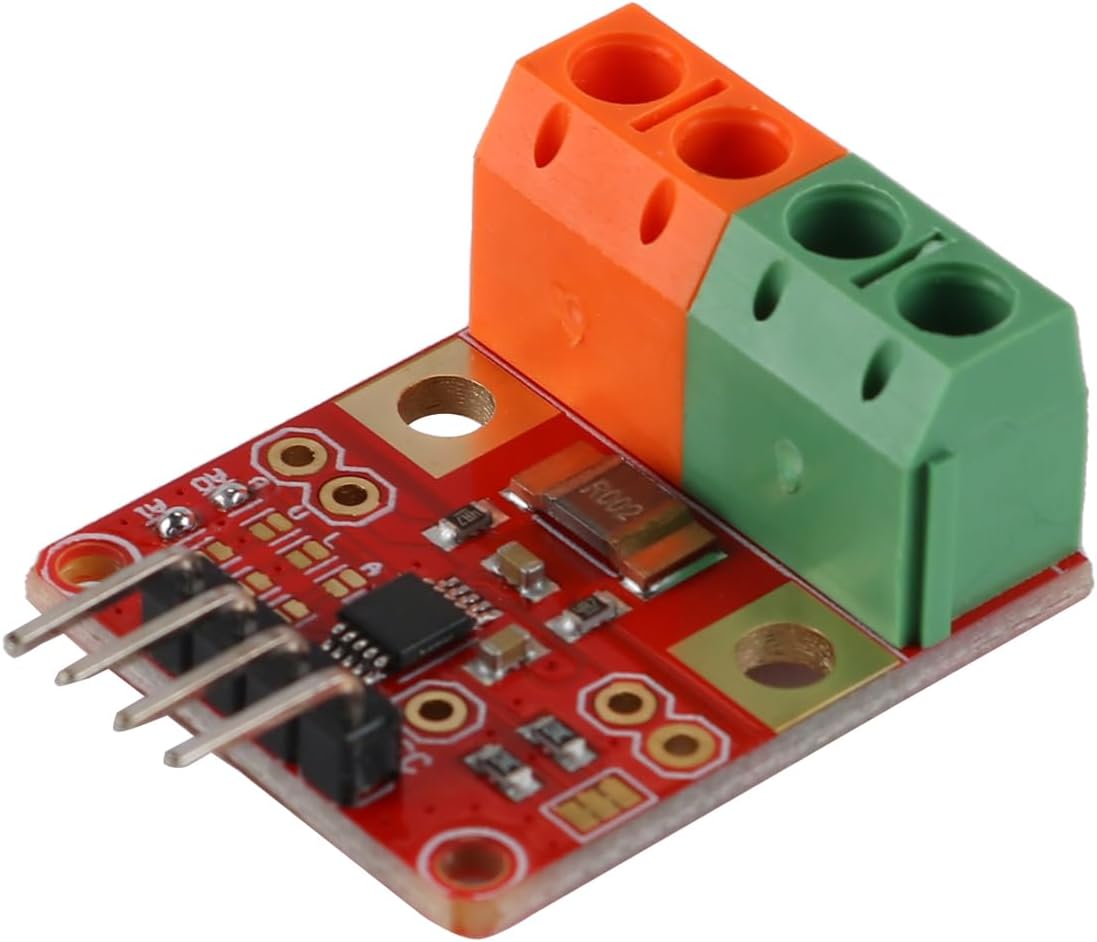
The INA226 measures current by detecting the small voltage drop across a shunt resistor. Its resistance must be specified correctly in the firmware to obtain accurate current readings.
Our INA226 module uses a resistor marked R002, corresponding to 0.002 Ω (2 mΩ). Other modules may use different values, such as R100 (0.1 Ω).
Check the marking on your module and adjust the following line in the Arduino code if necessary:
const float SHUNT_OHMS = 0.002;
An incorrect shunt resistance value will result in incorrect current and power measurements, even if the voltage readings are correct.